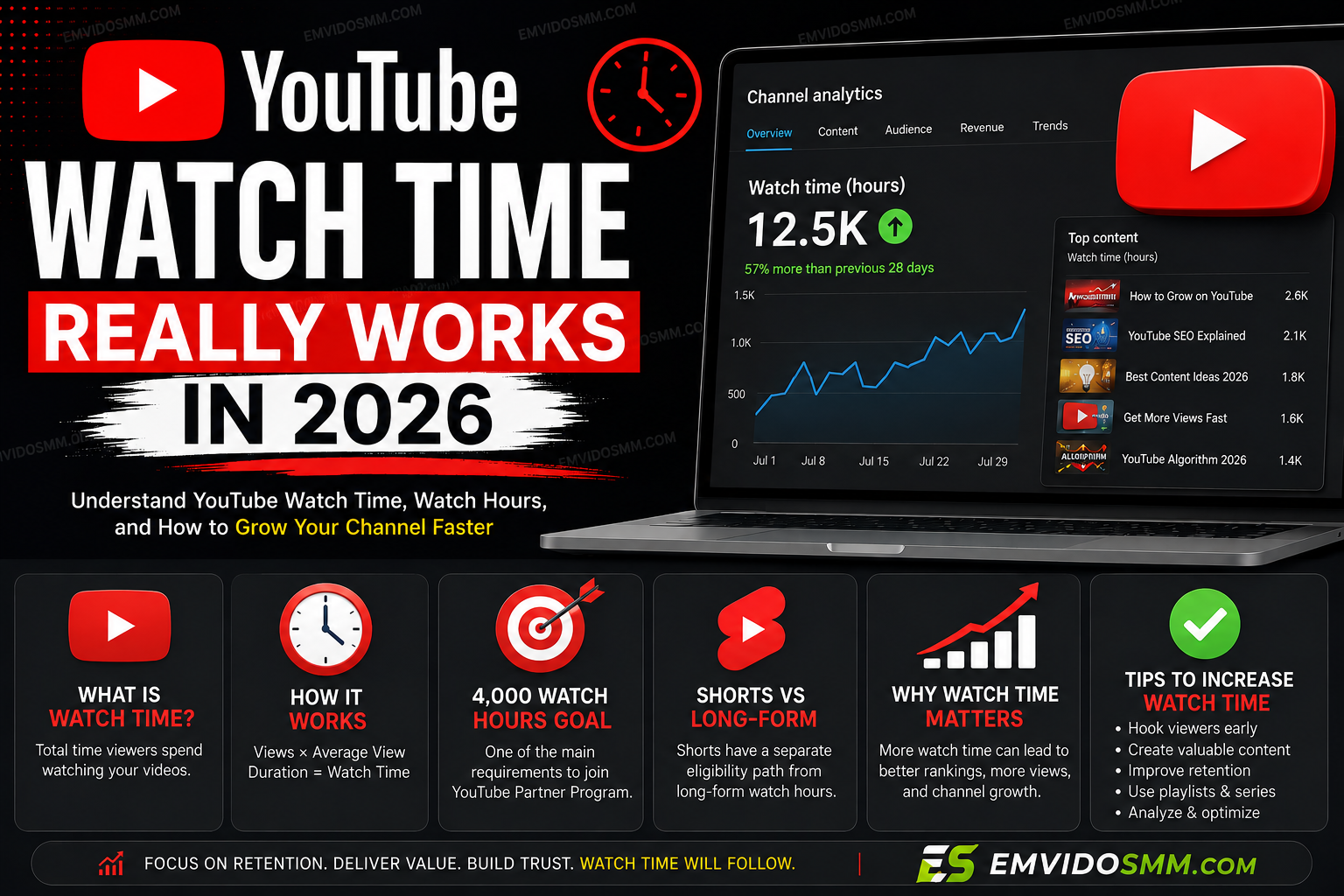
If you are trying to grow a YouTube channel or qualify for the YouTube Partner Program (YPP), understanding how YouTube watch time works in 2026 is extremely important.
Many creators think watch time is simply the number of views multiplied by the length of a video. In reality, YouTube looks at how long viewers actually watch your content, the type of content they watch, and whether that watch time qualifies toward monetization.
YouTube Analytics defines watch time as the amount of time viewers have watched your content. You can find this metric inside YouTube Studio alongside metrics such as average view duration and audience retention.
In this guide, we'll explain exactly what YouTube watch time means, how it is calculated, what counts toward monetization, how Shorts differ from long-form videos, and how you can increase your watch hours in 2026.
What Is YouTube Watch Time?
YouTube watch time is the total amount of time viewers spend watching your videos.
For example, imagine you upload a 10-minute video and 100 people watch the entire video.
Your approximate watch time would be:
100 viewers × 10 minutes = 1,000 minutes
That equals approximately:
16.7 hours of watch time.
However, viewers rarely watch every video from beginning to end. If those 100 viewers watch an average of five minutes each, your total watch time would be approximately 500 minutes, or 8.3 hours.
This is why getting views is only part of growing a YouTube channel. Keeping viewers watching is equally important.
YouTube Analytics also provides metrics such as average view duration and average percentage viewed to help creators understand how much of their videos audiences actually watch.
How Does YouTube Calculate Watch Time?
The basic idea is simple:
Total Watch Time = Total Time Viewers Spend Watching Your Content
For example:
- 1,000 views × 2 minutes average viewing = 2,000 minutes
- 2,000 views × 5 minutes average viewing = 10,000 minutes
- 10,000 views × 3 minutes average viewing = 30,000 minutes
You can convert minutes into hours by dividing by 60.
So:
30,000 ÷ 60 = 500 hours
This demonstrates why a smaller number of highly engaged viewers can sometimes generate more watch time than a much larger number of viewers who leave quickly.
Watch Time vs. Average View Duration
These two metrics are related, but they are not the same.
Watch Time
Watch time tells you the total amount of time viewers spent watching your content.
Average View Duration
Average view duration tells you approximately how long the average viewer watched.
For example, suppose a 20-minute video receives 10,000 views and the average viewer watches for 6 minutes.
Your approximate watch time would be:
10,000 × 6 minutes = 60,000 minutes
That's approximately:
1,000 hours of watch time.
YouTube specifically defines average view duration as the average minutes watched among viewers who stayed to watch.
What Is the 4,000 Watch Hours Requirement?
One of the most commonly discussed YouTube monetization milestones is 4,000 valid public watch hours.
Creators often work toward this requirement alongside the required subscriber threshold for the relevant YPP application route.
However, an important distinction is that not every minute watched on YouTube automatically becomes a qualifying public watch hour for YPP.
YouTube separates general Analytics watch time from the watch hours that qualify for YPP eligibility.
This means you should not assume that the watch-time number you see in every Analytics report is identical to the number used for monetization eligibility.
Do Shorts Watch Hours Count Toward 4,000 Watch Hours?
This is one of the biggest areas of confusion for new creators.
Shorts and long-form videos are measured differently for YouTube monetization.
Watch time generated through the Shorts experience does not simply become traditional public watch hours toward the 4,000-hour long-form requirement.
Instead, YouTube has a separate eligibility route based on qualified Shorts views.
This is why a creator can have millions of Shorts views without seeing the same number of hours added to the traditional 4,000 public watch-hour target.
If your goal is to build traditional public watch hours, long-form videos and eligible public livestream content can be particularly important.
Does YouTube Count Livestream Watch Time?
Yes, livestreams can generate substantial watch time because viewers may remain on a stream for much longer than they would watch a typical short video.
For example, imagine you livestream for two hours and 100 viewers watch for the entire two hours.
That's potentially:
100 × 2 hours = 200 viewer-hours
The actual amount recorded can vary because viewers join and leave at different times.
Livestreams can therefore be a powerful way to increase total viewing time when you have an audience interested in watching longer sessions.
Why Audience Retention Matters
Watch time isn't only about making longer videos.
You also need to make people want to keep watching.
YouTube provides an audience-retention report that shows which sections of your video hold viewers' attention and where viewers tend to leave.
The retention graph can show:
- Spikes – viewers are rewatching or sharing that section.
- Dips – viewers are skipping or abandoning that section.
- Gradual declines – viewers are slowly leaving as the video progresses.
- Flat sections – viewers are generally continuing to watch.
This information can help you identify exactly what is working and what needs improvement.
Does a Longer Video Always Get More Watch Time?
No.
A 30-minute video isn't automatically better than a 10-minute video.
Imagine you have two videos:
Video A
- Length: 30 minutes
- Views: 10,000
- Average viewer watches: 2 minutes
Approximate watch time:
20,000 minutes
Video B
- Length: 10 minutes
- Views: 10,000
- Average viewer watches: 6 minutes
Approximate watch time:
60,000 minutes
The shorter video generates approximately three times more watch time despite being one-third the length.
This is why YouTube recommends creating videos that are an appropriate length for the content rather than stretching videos unnecessarily. YouTube says absolute watch time tends to be more important for longer videos, while relative watch time is broadly more important for shorter videos.
Does Rewatching a YouTube Video Increase Watch Time?
Repeated viewing can contribute to watch time when YouTube considers the viewing legitimate.
For example, if someone watches a useful tutorial twice because they need to repeat a particular step, those viewing sessions can contribute to the video's overall watch activity.
However, creators should never attempt to artificially inflate watch time using bots, automated playback, fake traffic, or other manipulation.
YouTube's analytics systems distinguish legitimate views and engagement from invalid activity.
Do Views From External Websites Count?
People can discover YouTube videos through websites, social media, search engines, messaging apps and other external sources.
YouTube Analytics tracks external traffic as one of the ways viewers find your content.
If real people click your YouTube video from an external website and genuinely watch it, that viewing activity can contribute to your video's watch time.
However, external traffic should come from real interested viewers rather than artificial traffic designed solely to manipulate metrics.
Does YouTube Watch Time Help Your Videos Rank?
Watch time is one of several engagement signals YouTube can use when evaluating content.
But there is no simple rule such as:
"More watch hours = automatic #1 ranking."
YouTube says its discovery systems consider both absolute and relative watch time as signals of audience engagement. Search ranking also considers how well the title, description and video content match the viewer's search and what videos drive engagement for that search.
In other words, your goal should not simply be to maximize minutes.
Your goal should be to create a video that satisfies the viewer's intent and keeps them interested.
How to Increase YouTube Watch Time in 2026
If you want more watch hours, focus on the following strategies.
1. Improve Your First 30 Seconds
The opening of your video is extremely important.
Avoid spending too much time on:
- Long introductions
- Unnecessary greetings
- Repeating the title
- Irrelevant information
- Excessive animations
Tell viewers what they are going to get from the video and start delivering value quickly.
2. Create Stronger Titles and Thumbnails
Before somebody watches your video, they have to click it.
A strong thumbnail and title can increase the number of people who choose your video after seeing it.
YouTube Analytics provides impression and click-through-rate data that can help you understand how thumbnails translate into views and watch time.
3. Remove Boring Sections
Open your audience-retention report and look for major dips.
If viewers consistently leave during a particular section, ask yourself:
"Why?"
The section may be too slow, repetitive, confusing or unrelated to what the viewer expected.
4. Use Storytelling
Even educational videos can benefit from storytelling.
Instead of presenting information as one long block, create a logical progression:
Problem → Explanation → Example → Solution → Result
This gives viewers a reason to continue watching.
5. Make Videos the Right Length
Don't turn a five-minute idea into a 20-minute video just to chase watch hours.
Likewise, don't cut a valuable 20-minute tutorial down to five minutes if the additional information genuinely helps the viewer.
Make the video as long as necessary—and no longer.
6. Build Video Series
A series can encourage viewers to watch multiple videos.
For example:
Part 1: How to Start a YouTube Channel
Part 2: How to Get Your First 1,000 Subscribers
Part 3: How YouTube Recommendations Work
Part 4: How to Increase Watch Time
This can help turn one viewing session into multiple viewing sessions.
7. Use Playlists
Organize related videos into playlists so viewers can easily continue watching.
A viewer who watches three related videos can generate significantly more total watch time than someone who watches only one.
8. Study Your Analytics
YouTube Studio gives creators information about:
- Watch time
- Average view duration
- Audience retention
- Traffic sources
- Views
- Returning viewers
- New viewers
- Audience demographics
YouTube's Audience reports can also show how much watch time comes from subscribers and viewers who aren't subscribed.
Use these reports to understand what your audience actually wants to watch rather than relying entirely on guesswork.
A Simple YouTube Watch Time Formula
You can estimate your watch time using:
Watch Time (hours) = Views × Average View Duration (minutes) ÷ 60
For example:
50,000 views × 4 minutes ÷ 60 = 3,333.3 hours
That means 50,000 views with a four-minute average view duration could generate roughly 3,333 watch hours.
To reach 4,000 hours at the same average view duration:
4,000 × 60 ÷ 4 = 60,000 views
So if your average viewer watches four minutes, you would need approximately 60,000 views to generate 4,000 hours of total viewing time, assuming the viewing activity qualifies for the particular YPP requirement you're targeting.
YouTube Watch Time in 2026: An Important Update
YouTube changed how it reports views beginning August 24, 2026. Views are now counted when a video starts playing across formats, including Shorts, long-form videos and livestreams.
Importantly, YouTube says this change does not change YPP earnings or eligibility. YPP continues to use its separate definitions for engaged Shorts views, engaged watch hours, qualified Shorts views and qualified watch hours.
This is an important reason not to confuse the headline view count with the metrics YouTube uses for monetization.
Frequently Asked Questions
How many watch hours do I need to monetize YouTube?
YouTube has multiple YPP eligibility pathways, so the exact requirement depends on the monetization features and route you're applying through. The traditional long-form route is commonly associated with 1,000 subscribers and 4,000 valid public watch hours over the relevant period.
Always check YouTube's current YPP eligibility information before applying because requirements and available features can change.
Do Shorts count toward YouTube watch hours?
Shorts viewing through the Shorts experience is handled separately from traditional public watch hours. Shorts creators can instead qualify through the relevant Shorts-view pathway.
Does watching my own YouTube video increase watch time?
You should not repeatedly watch your own videos to artificially increase metrics. YouTube uses systems designed to identify legitimate activity, and artificial engagement can put your channel at risk.
Does a 10-minute video give more watch time than a 5-minute video?
Not necessarily. Watch time depends on how many people watch and how long they stay. A shorter video with stronger retention can generate more total watch time than a longer video that viewers abandon quickly.
Is watch time important for YouTube SEO?
Yes, watch time and other engagement signals can help YouTube understand how audiences respond to content. However, watch time is only one part of YouTube's discovery and ranking systems.
Final Thoughts
Understanding how YouTube watch time really works in 2026 can help you build a smarter content strategy.
Don't focus only on getting more views.
Focus on getting the right viewers, creating videos that satisfy their search or viewing intent, and giving them a reason to keep watching.
Monitor your watch time, average view duration, audience retention, click-through rate and traffic sources inside YouTube Studio. Then use that data to improve your next video.
The goal isn't simply to make longer videos.
The goal is to make videos people actually want to finish.
That is what turns views into meaningful watch time—and meaningful watch time into a stronger YouTube channel.